
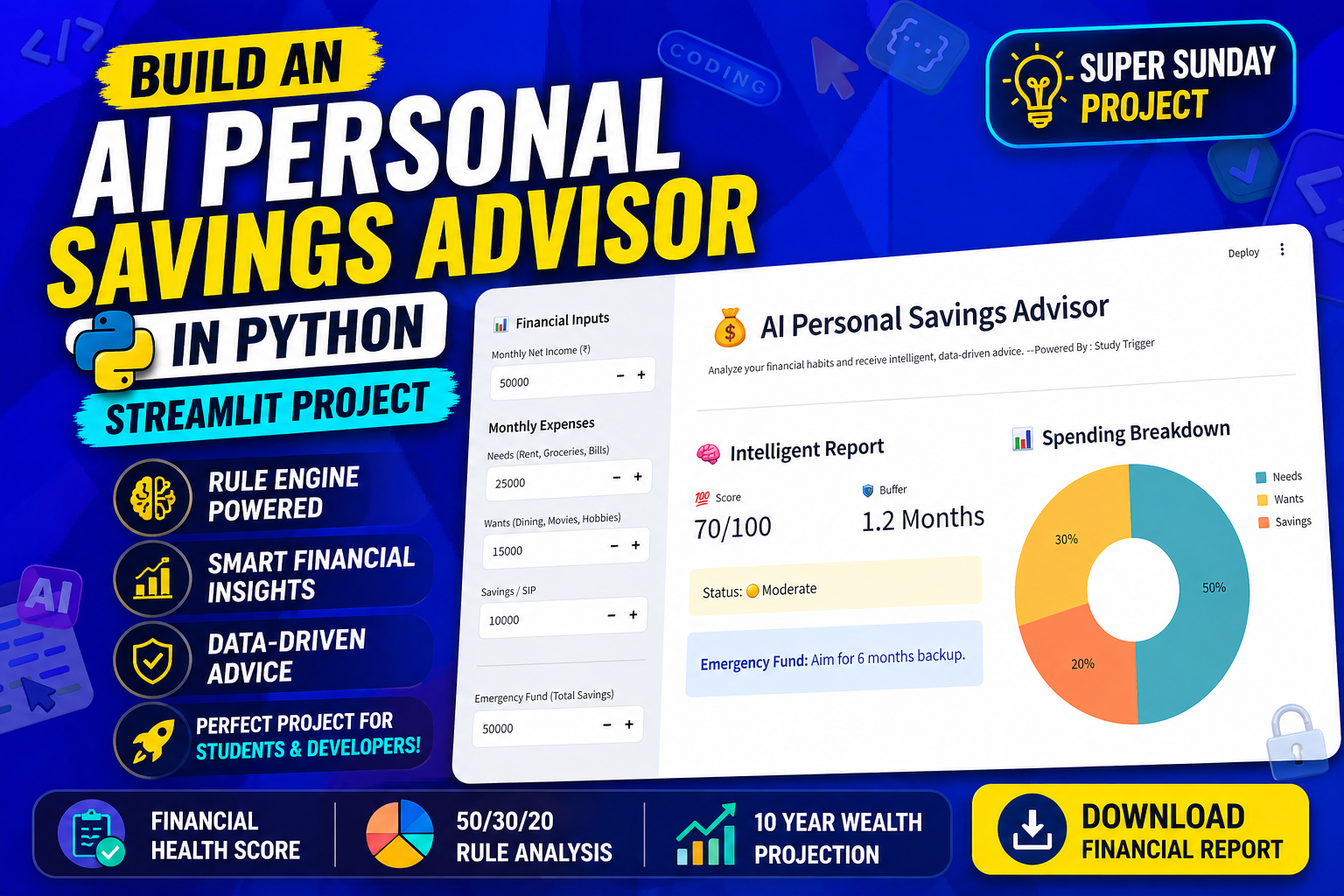
Stop Learning, Build This PRO App
Most students tell me: “Mahesh Sir, I know how to write a loop, but I don’t know how to build a software.” The difference between a “script” and “software” is Decision Making. In this Project, we aren’t just making a calculator. We are building an AI Personal Saving Advisor that actually “thinks” about your data and tells you if your financial life is healthy or in danger.
By the end of this hour, you’ll have a professional dashboard that uses a Logic-Based Rule Engine to provide instant feedback.
What is a “Rule Engine” & Why is it the “AI” here?
Before we code, you need to understand the brain of this project.
1. What exactly is a Rule-Based Decision?
In programming, a decision-based system is like a “Digital Judge.” It takes your data, compares it against a set of “Laws” (Rules), and gives a verdict.
2. What is a Rule Engine?
A Rule Engine is a part of a software that manages complex if-then logic. Instead of just showing a total, the engine analyzes the total.
-
The Rule: “If savings < 20% of income.”
-
The Action: “Deduct 30 points from the health score and show a warning.”
3. Why is it useful?
In the real world, banks and insurance companies use Rule Engines to approve loans or detect fraud. For your project, it’s useful because it transforms raw numbers into Actionable Insights.
4. How do we use it in this project?
In our code, the Rule Engine is the rules list and the score logic. It automatically checks:
-
Is your Emergency Fund enough for 6 months?
-
Are your Wants higher than 30%?
-
Is your Saving Rate too low?
This logic makes your app “Smart” without needing a massive Machine Learning model.
Why This AI Saving Advisor Project Matters
-
For Students: This is a perfect Minor Project. It covers the 50/30/20 rule—a concept examiners love because it shows you can solve real-world problems.
-
For Job Seekers: It demonstrates that you can build a Decision-Support System. Recruiters look for developers who understand business logic, not just syntax.
-
For Beginners: It teaches you Plotly for charts and Streamlit for the UI, making you a full-stack data developer in one shot.
The One-Shot Logic Project (Streamlit + Plotly)
We build this entire advisor from a blank file to a finished dashboard.
Watch the full step-by-step implementation:
Key Features of the AI Saving Advisor
1. Intelligent Financial Scoring
The Rule Engine calculates a Health Score out of 100. If your habits are bad, the score drops. If they are good, the app gives you a “Healthy” status.
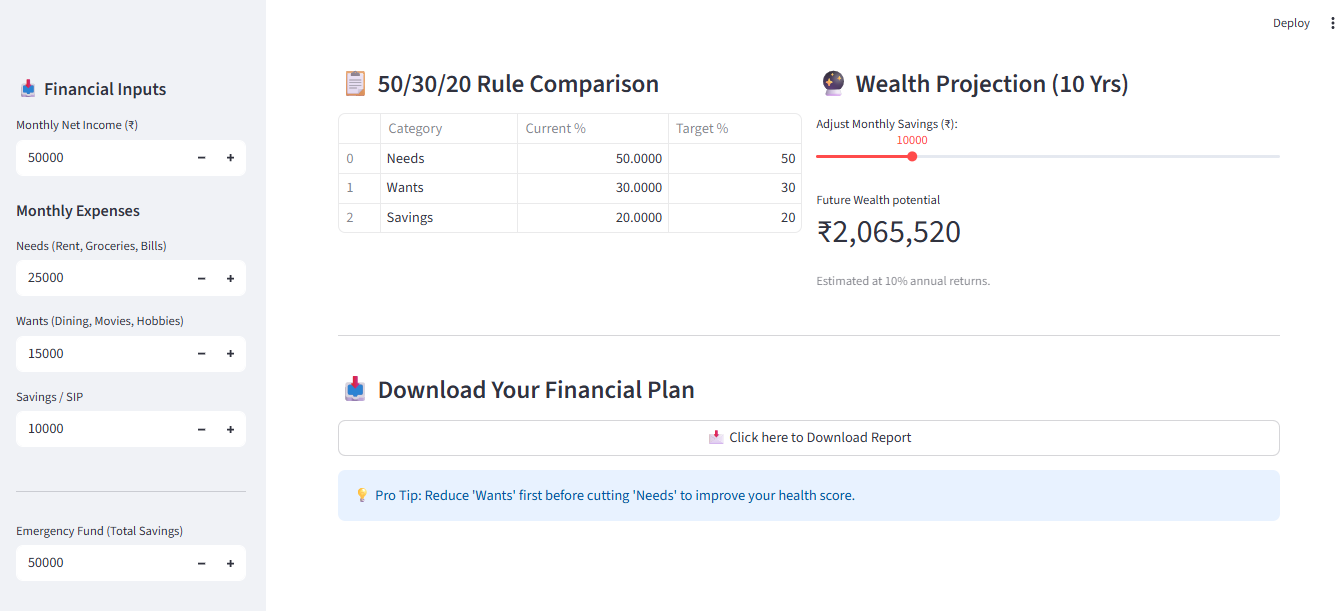
2. The 50/30/20 Comparison
We use Pandas to create a comparison table. It shows your Current % vs. the Target %. This is where the user sees the gap in their finances.
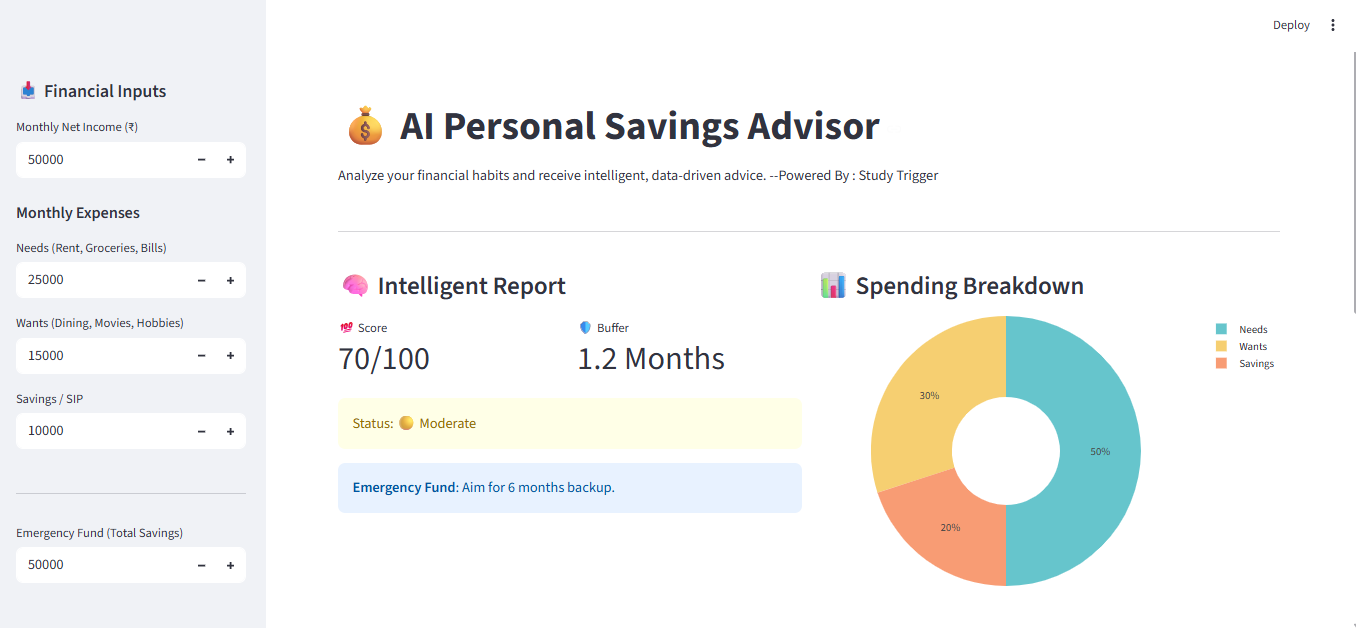
3. Interactive Spending Breakdown
Using Plotly Express, we generate a Donut Chart. Visualization is key because “a picture is worth a thousand rows of data.”
4. 10-Year Wealth Projector
We use a Compound Interest Formula and a Streamlit slider. This allows users to see their “Future Self” and how much money they could have if they start saving today.
AI Python Project
What You Will Actually Learn
-
Logic Design: How to structure a list of functions (Rule Engine) to evaluate data.
-
Streamlit Layouts: Using sidebars, columns, and metrics to make a “Pro” looking UI.
-
Data Persistence: How to create a downloadable report so the user can keep their plan.
Common Mistakes to Avoid
-
Hardcoding Rules: Always keep your rules flexible so they can be updated easily.
-
Ignoring Edge Cases: What happens if the user enters “0” as income? We handle this using “if-else” to avoid the dreaded
ZeroDivisionError. -
Messy Charts: We use
hole=0.4in our Pie chart to turn it into a modern “Donut” chart—small design choices make a big professional difference.
How to Run This Project
-
Install dependencies:
pip install streamlit pandas plotly -
Run the app:
streamlit run app.py
📂 [Click to Download Source Code on GitHub]
About Super Sunday: Project Series
“Super Sunday” is our weekly mission at Study Trigger. We believe in Active Learning. Don’t just watch me code—open your laptop and build it with me. Every Sunday, we bridge the gap between “Student” and “Developer.”
Final Thought:
If you want to be a software engineer, stop memorizing and start building. Build tools that solve your own problems first!
See you in the next project!
Frequently Asked Questions (FAQ)
1. Is a Rule Engine different from AI?
Yes. Traditional AI (Machine Learning) learns from data. A Rule Engine is “Expert-Driven” AI—you provide the expertise, and the code executes the logic.
2. Can I add more rules to this?
Absolutely! You can add rules for debt, tax planning, or even age-based investment strategies.
3. Is this project heavy for my laptop?
Not at all. Streamlit is very lightweight. Any laptop that can run Python can run this project.