
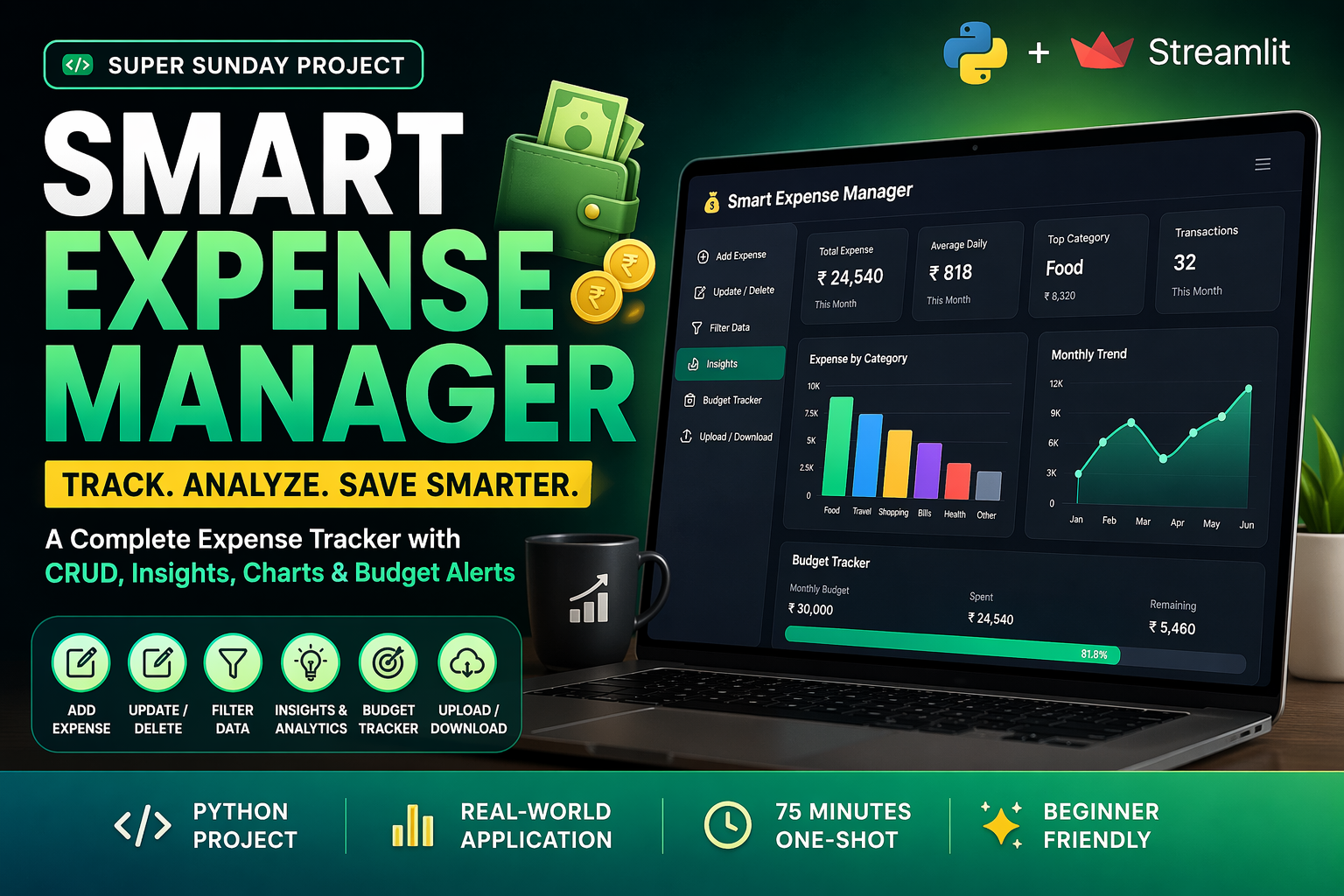
Stop Learning, Build This PRO App in 60 Minutes
Have you ever finished a Python course, learned how to write loops and functions, but still felt stuck when asked to “build a real application from scratch”?
You’re not alone.
Most students understand the syntax of Python but struggle with CRUD operations (Create, Read, Update, Delete)—the backbone of 90% of all software in the industry. That’s why in this Super Sunday Project, we are moving beyond simple analysis and building a Smart Expense Manager. This isn’t just a script; it’s a complete tool with a database-style logic (using CSV) and a professional dashboard.
Instead of watching more theory videos, you will build a functional application that manages real data, tracks budgets, and provides smart financial insights.
Why This Expense Manager Project Matters
This is a critical step up from our previous “Analysis-only” projects. Here, you are the developer and the architect.
-
For Students: This is a perfect Minor or Major Project for BCA, BTech, and MCA students. It covers file handling, data manipulation, and UI design—all common “viva” questions.
-
For Job Seekers: It demonstrates that you can build CRUD functionality, which is a high-demand skill for Python Developer and Full-Stack roles.
-
For Beginners: You will learn how to handle user input and save it persistently, so your data doesn’t disappear when you close the app.
By the end, you won’t just be “coding”—you’ll be building software. This is not just a CRUD project—it’s a real-world personal finance application.
The One-Shot CRUD Project (Streamlit + Pandas)
This entire project is built in one shot within 75 minutes.
You’ll learn how to go from:
Raw data → Data storage → Filtering → Insights → Dashboard
using Pandas + Streamlit, without any frontend framework.
Watch the full step-by-step implementation in the video.
In this video, we build the Smart Expense Manager from the first line of code to the final dashboard. We use Streamlit for the interface and Pandas for the heavy lifting of data management.
Key Features of Smart Expense Manager
This project is packed with features that make it portfolio-level
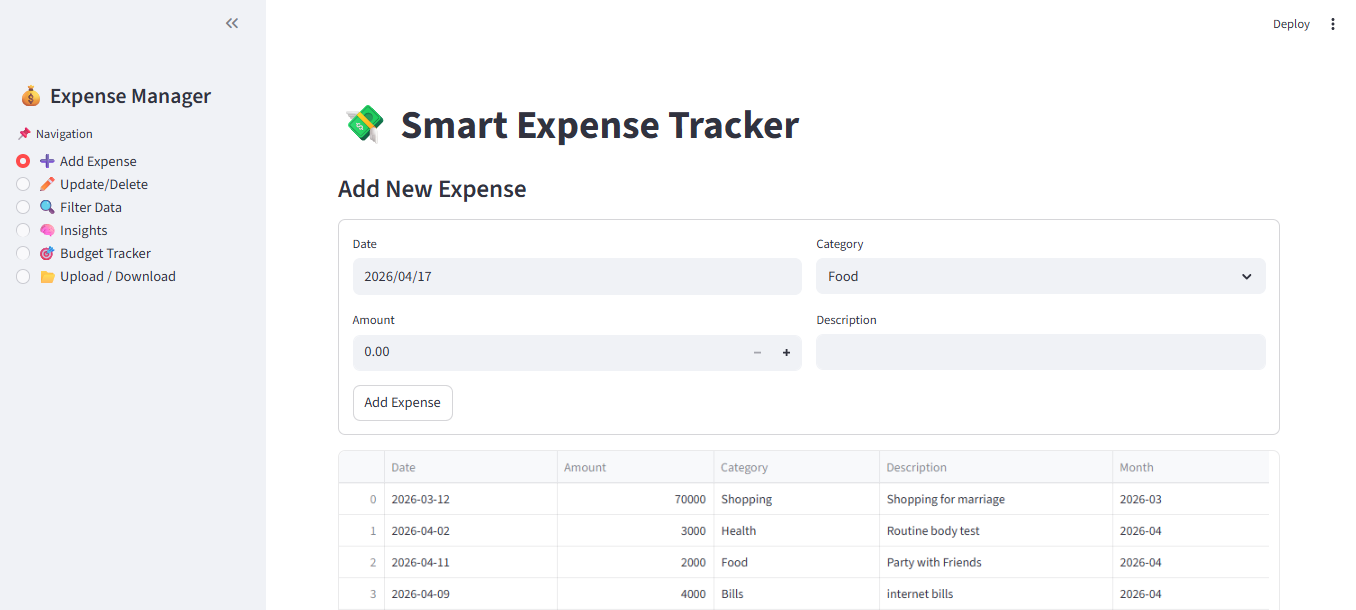
1. Full CRUD Functionality
- Add new expenses
- Update existing entries
- Delete records
- Store data in CSV
This builds your core backend logic
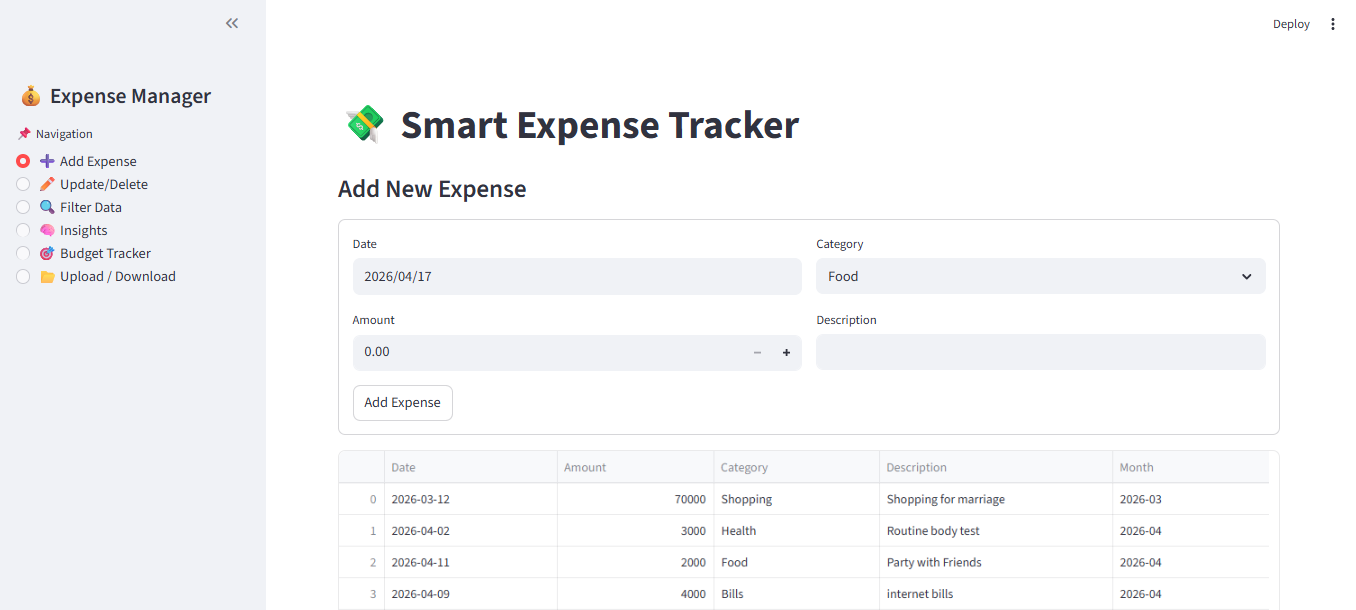
Update/Delete
2. Smart Filtering System
- Filter by date range
- Filter by category
Helps simulate real-world data querying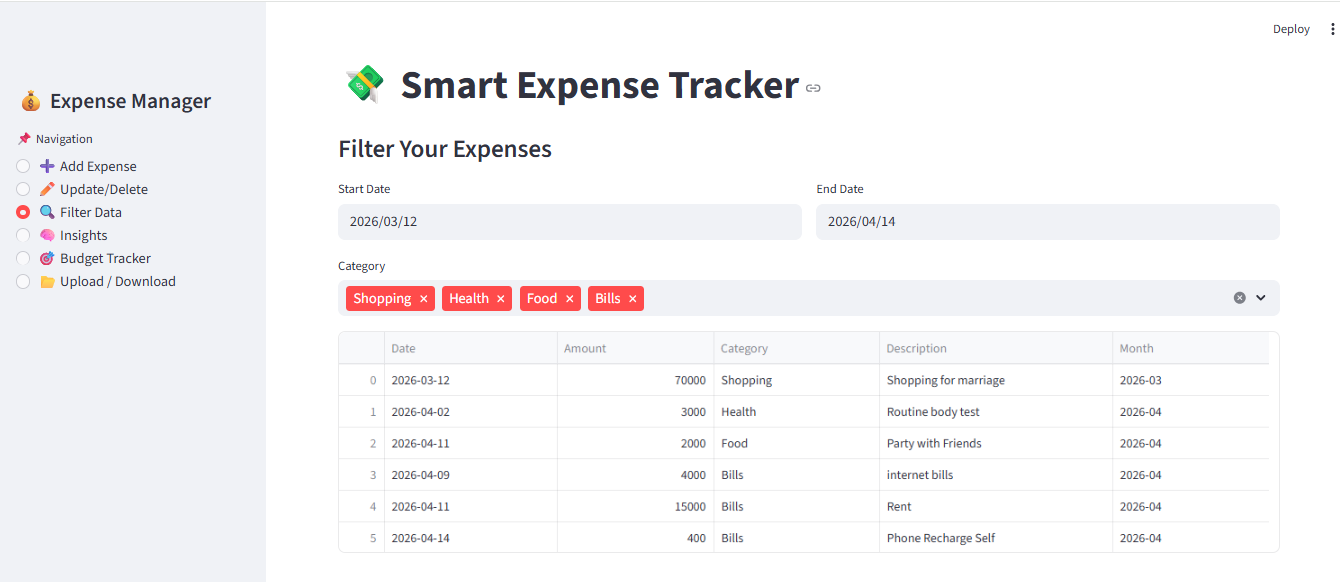
3. Insights & Analytics
- Total spending
- Top spending category
- Average daily expense
- Last 7 & 15 days analysis
This is where data becomes powerful
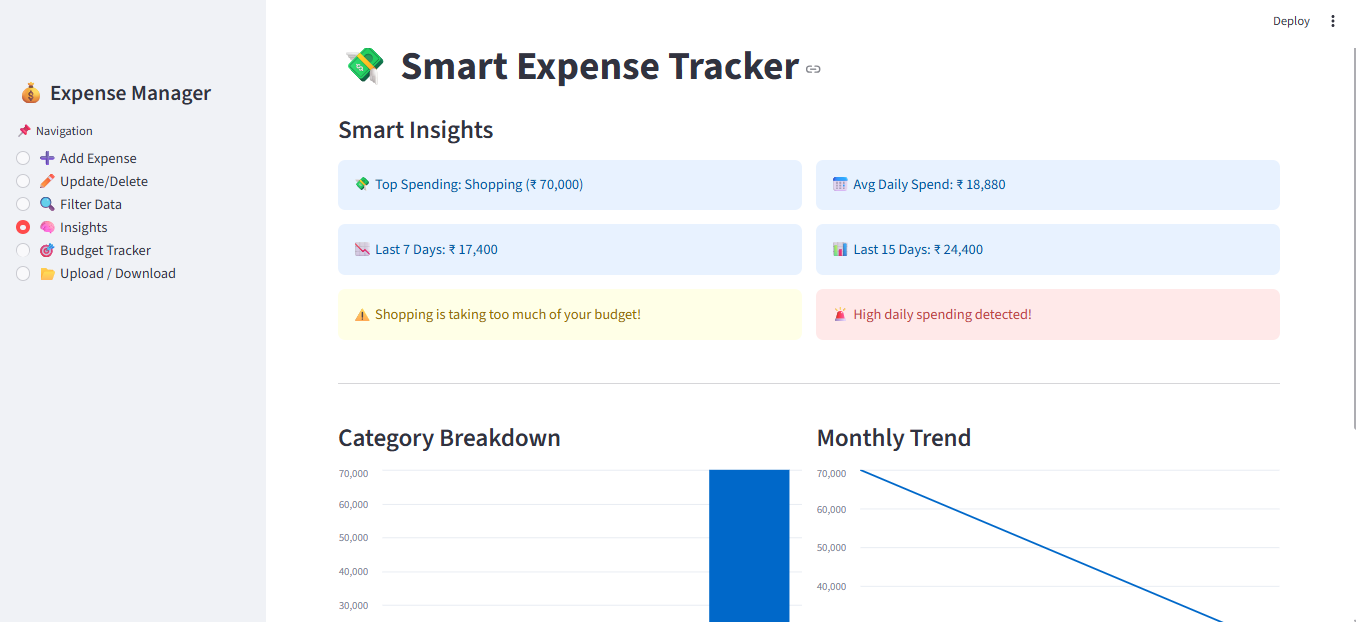
4. Interactive Dashboard
- Category-wise bar chart
- Monthly spending trend
Similar to real business dashboards
5. Budget Tracker
- Set monthly budget
- Track spending vs remaining
Adds real-life usability
6. Upload & Download Feature
- Upload CSV data
- Download your data anytime
Makes your app flexible and user-friendly
What You Will Actually Learn
This project teaches you more than just coding:
- How to structure a real-world Python app
- How to manage state using Streamlit
- How to work with datetime & filtering
- How to generate insights using Pandas
- How to build dashboards without frontend
This is exactly what companies expect from beginners
Common Mistakes in Expense Tracker Projects
While building this Expense Manager, many developers struggle with:
-
Index Management: Making sure you update the correct row in the table.
-
State Management: Ensuring the app “remembers” your data as you click different buttons.
-
Date Handling: Keeping date formats consistent so filters don’t break.
In the video tutorial, I show you exactly how to solve these issues like a pro.
Bonus Ideas to Upgrade This Project
Want to make it even better?
Try adding:
- Category-wise budget limits
- Login system (user-based expenses)
- Cloud deployment
- Mobile-friendly UI
- AI-based spending suggestions
These upgrades can turn it into a startup-level idea
How to Run This Smart Expense Manager
1. Install dependencies:
pip install streamlit pandas
2. Run the app:
streamlit run app.py
📥 Download Source Code (GitHub)
Access full source code here:
[Click to Download Source Code]
About Super Sunday: Project Series
“Super Sunday” is a weekly initiative at Study Trigger where we stop talking about code and start writing it. We focus on building end-to-end projects that bridge the gap between “Learning Python” and “Being a Developer.”
Final Thought: If you want to be a software engineer:
-
Don’t just memorize functions.
-
Don’t just follow tutorials blindly.
-
Build tools that solve problems.
See you in the next project!
Frequently Asked Questions (FAQ)
1. Is this project suitable for my college final year?
Yes! For BCA and BTech students, this is an excellent mini-project. If you add database integration (like SQLite or MySQL), it can even serve as a major project.
2. Can I use this for my resume?
Absolutely. It demonstrates CRUD skills, UI design with Streamlit, and data handling with Pandas—all of which are highly valued by recruiters.
3. Do I need to pay for any software?
No. Everything used here (Python, Streamlit, Pandas) is 100% free and open-source.
4. How can I customize this project?
You can add a login system, connect it to a real SQL database, or add an “AI” feature that predicts your next month’s expenses!